Tiling タイリング
Patterns are a major element of decorative and graphic design. Since ancient times, people have been crafting intriguing patterns by repeating graphic elements or organizing space based on specific rules.
パターンは装飾やグラフィックデザインにとって大事な要素です。太古の昔から、人々は視覚的な要素を繰り返したり、特定のルールに従って空間を分割することで魅力的なパターンを作り出してきました。
In geometry, a tessellation or tiling refers to covering a space with one or more geometric shapes without overlaps and gaps. We can consider tessellation for any number of dimensions, but we will focus on 2D on this page.
幾何学では、重複や隙間なしに空間を1つまたはそれ以上の幾何学的形状で覆うことをテッセレーション、またはタイリングと呼びます。テッセレーションはどんな次元数についても考えることができますが、このページでは2次元に集中します。
Box tiling
長方形のタイリング
The simplest way to create a repeating pattern, especially on a computer where graphics are usually handled by xy-coordinates, is to divide a plane into tiles of squares or rectangles.
特に通常グラフィックスをxy座標で扱うコンピュータ上で最も簡単な繰り返しパターンの作る方法は、正方形や長方形のタイルに平面を分割することです。
We want to assign different colors or graphics to the tiles to make it more interesting than just a grid. Modulo is a great tool for this. If we call the horizontal position of a tile , and the vertical position , we can name each of the tiles . By using modulo against these indices (, ), we can divide them into several groups to assign different graphics.
単なるグリッドよりは面白いものにしたいので、タイルに異なる色やグラフィックを割り当てましょう。モジュロはこれに最適なツールです。タイルの水平位置を、垂直位置をとし、それぞれのタイルをと呼びます。この位置を示す数(、)に対してモジュロを使っていくつかのグループに分けることで異なるグラフィックを割り当てることができます。
The demo below draws a checker pattern by dividing the tiles into two groups, then assigning a color for each group (0 = Black, 1 = White).
下のデモは、タイルを2つのグループに分け、各グループに色を割り当てることでチェック模様を描きます(0 = 黒、1 = 白)。
Take a look at another example below. The main part (setup()) is identical to the demo above, except it divides the tiles into four groups instead of two. Then, the drawTile() function draws a different shape for each of the groups. Try tweaking the code to change how groups are assigned to each tile, and the graphics for each group. You will probably find it mind-boggling how far this seemingly simple setup can go, and sometimes it can be very tricky to predict the results.
別を見てみましょう。主な部分(setup())は上のデモと同じですが、タイルを2つではなく4つのグループに分けます。そしてdrawTile()関数が、それぞれのグループに対して異なる形を描きます。コードを書き換えて、グループに対するタイルの割り当てや、グループごとのグラフィック変えてみましょう。この単純なセットアップでも驚くほど様々な表現ができ、結果を予測するのがとても難しいこともあります。
Plane-filling shapes
平面充填図形
There are many other shapes that can fill a 2D plane without leaving gaps. Triangles, squares and hexagons are the only regular shapes that can fill a plane. But if we expand it to irregular shapes, or combination of multiple shapes, there is infinite possibility. You can find many interesting examples on the tessellation page on Wikipedia.
2D平面を隙間なく埋められる形には他にも色々あります。平面を満たすことができる正多角形は、3角形、4角形、6角形だけですが、より不規則な形や複数の形の組み合わせまで広げると可能性は無限にあります。Wikipediaのテッセレーションについてのページには多くの興味深い例があります。
Laying out non-rectangular shapes with code is a bit more tricky. For example, to tile a regular triangle, you need to find the relationship between the height and the length of the base, and alternate the rotation. Using the Pythagorean theorem, the length of the base is of the height. To alternate the rotation, we can use modulo in the same way as the examples above. Here is a demo.
コードで長方形以外の形を並べるのは少し厄介です。例えば正三角形をタイル状に並べるには、高さと底辺の長さの関係を調べ、形を互い違いに回転する必要があります。ピタゴラスの定理を使えば、底辺の長さが高さのだとわかります。交互に回転させるには、上の例と同じくモジュロが使えます。下のデモを見てみましょう。
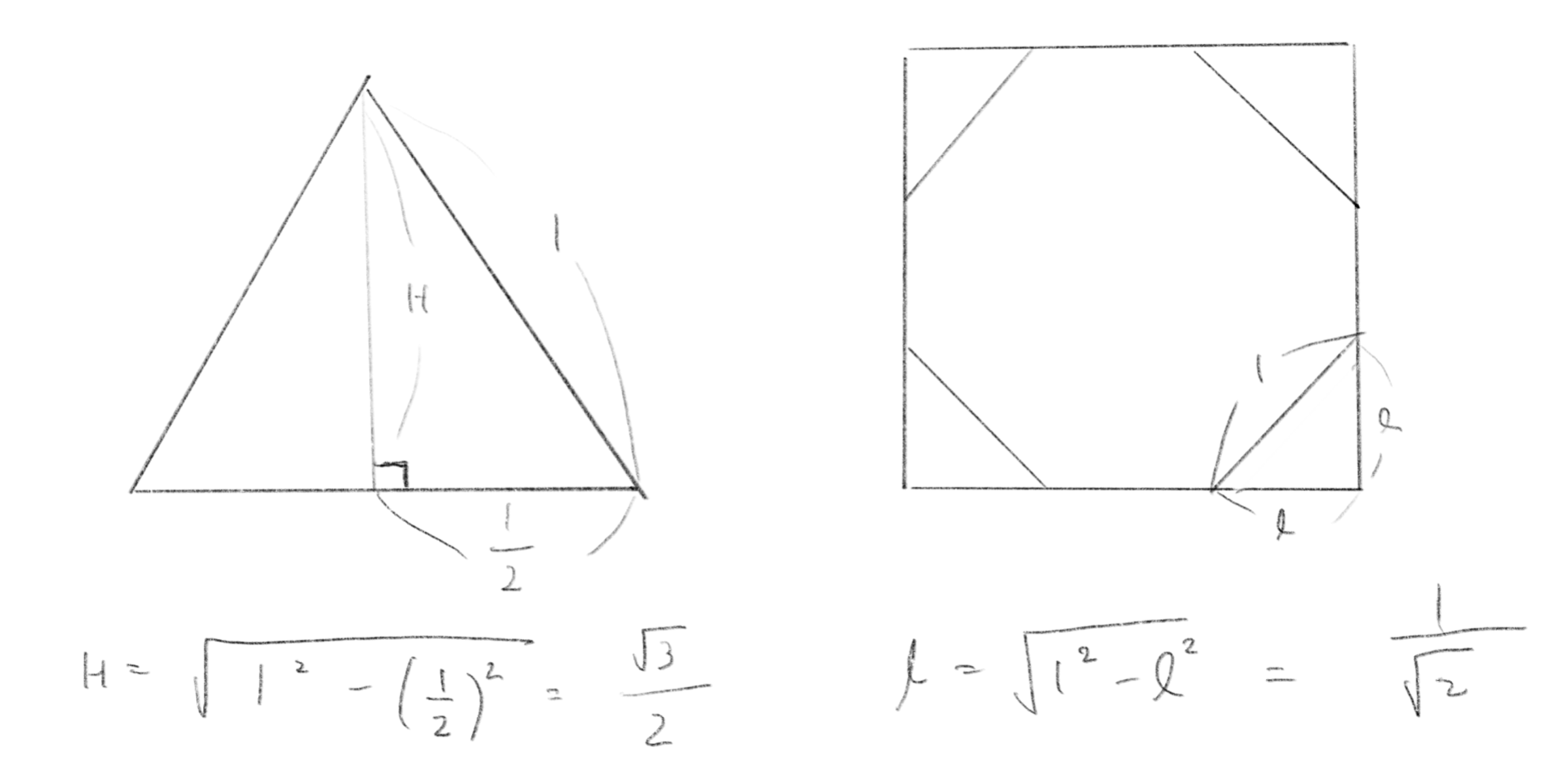
The demo below is an example with regular octagons and squares. Notice that the offset of the tile is also calculated using Pythagorean theorem.
下のデモは、正八角形と正方形を並べています。この例でもタイル間の距離の計算にピタゴラスの定理を用いました。
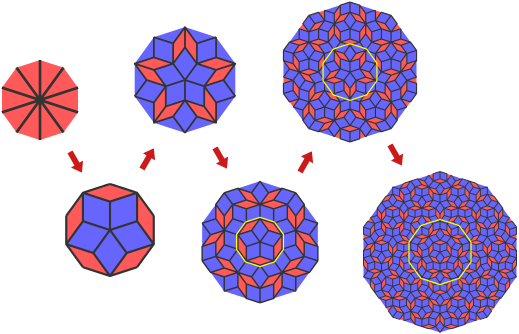
There’s a very interesting type of tiling known as aperiodic tiling, which means the pattern doesn’t repeat in a regular, predictable way. Penrose tiling is one of the most famous examples of this. The demo below uses just two different quadrilaterals, green and yellow. But unlike regular patterns, where you can slide the entire pattern in one direction and it will still match up with itself, in Penrose tiling, no matter how you try to slide it, the pattern never exactly repeats.”
非周期なタイリングという非常に面白い種類のタイリングがあります。非周期とは、パターンが予測可能なサイクルで繰り返されないという意味で、ペンローズタイルは最も有名な例の1つです。下のデモは、緑と黄色の2種類の四角形だけ構成されていますが、通常のパターンとは異なり、パターン全体を特定の方向にスライドさせてもそれ自身とピッタリ重なることはありません。ペンローズタイル張りでは、どのようにスライドしてみても、パターンは決して正確に繰り返されません。
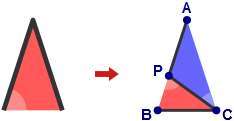
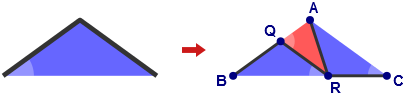
This demo is based on an article by Jeff Preshing, Penrose Tiling Explained. The basic idea of the method is to subdivide triangles into smaller triangles following a simple set of rules. I won’t repeat the explanation as the original article is very detailed and easy to follow. Highly recommended if you are interested.
このデモは、Jeff Preshingによるペンローズタイリングの説明を基にしました。簡単なルールに沿って3角形をより小さな3角形に細分化するのが、この方法の基本的な考え方です。元の記事がとても詳しく分かりやいので、ここで説明を繰り返すことはしませんが、興味がある場合はぜひ元記事を読んでみましょう。
Truchet Tile
トルシェタイル
Truchet tiles are a type of tile designed to create complex patterns by rotating and placing them side by side. They are named after the French Dominican priest Jean Truchet, who created a tile divided diagonally, as in the demo below.
トルシェタイルは、回転させてながら並べて複雑なパターンを作り出すようデザインされたタイルです。トルシェタイルは下のデモのように対角線で分割されたタイルをデザインした、ドミニコ会の司祭、セバスチャン・トルシェの名前を元に付けられました。
This pattern is made of just a single tile divided diagonally into two colors, but when the tiles are placed side by side, they can create many different shapes. Generally, a Truchet tile pattern consists of one or several tiles that can be rotated and connected to the other tiles in the set.
このパターンは、対角線で2色に分割されたタイル一種類だけで作られていますが、タイルを並べて置くと、さまざまな形状を作ることができます。一般的に、トルシェタイルパターンは、回転させてセット内の他のタイルに接続できる1つまたは複数のタイルで構成されています。
Let’s take a look at another example. This one is also made of just a single tile with two quarter circles. But you probably see the complex patterns of the circles and wavy lines, or stripes that look like many circles connected together, standing out more than the individual tiles.
別の例を見てみましょう。このパターンも2つの四分円が描かれたタイル一種類だけで作られています。しかし、個々のタイルよりは波状の線や多くの円が連結した帯などもっと複雑なパターンが前面に見えるのではないでしょうか。
You can find many examples by searching for “Truchet tiles”. You can also create your own patterns. Try modifying the drawTile functions in the demo. You’re not limited to squares - feel free to use triangles, hexagons, or any other shapes that can fill a plane and rotate.
Truchet tilesで検索すればより多くの例が見つかります。自分自身でパターンを作ることもできるでしょう。デモの中の drawTile関数を書き換えてみてください。4角形に限らず、3角形や6角形、その他の平面を埋め尽くしつつ回転できる形状を自由に試してみましょう。
Escher-esque patterns
エッシャー風のパターン
What about creating repeating patterns with more complex shapes? M. C. Escher was a master at creating intricate and fascinating patterns consisting of animals, plants, and all kinds of things.
もっと複雑な形状で繰り返しのパターンを作るのはどうでしょう。M. C. エッシャーはまるで魔法のように、動物、植物、あらゆる種類の物からなる非常に複雑で魅力的なパターンを作り出しました。
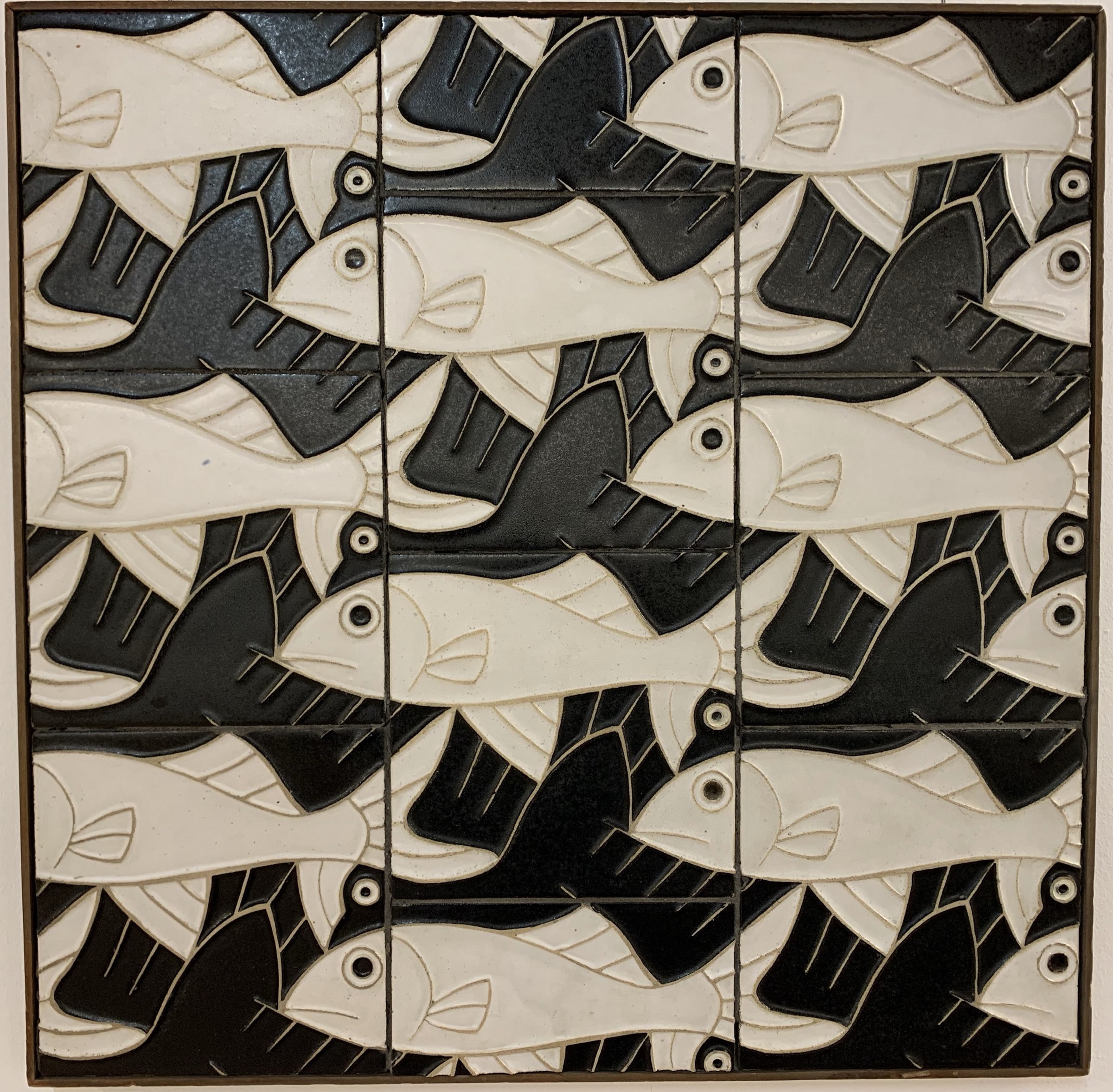

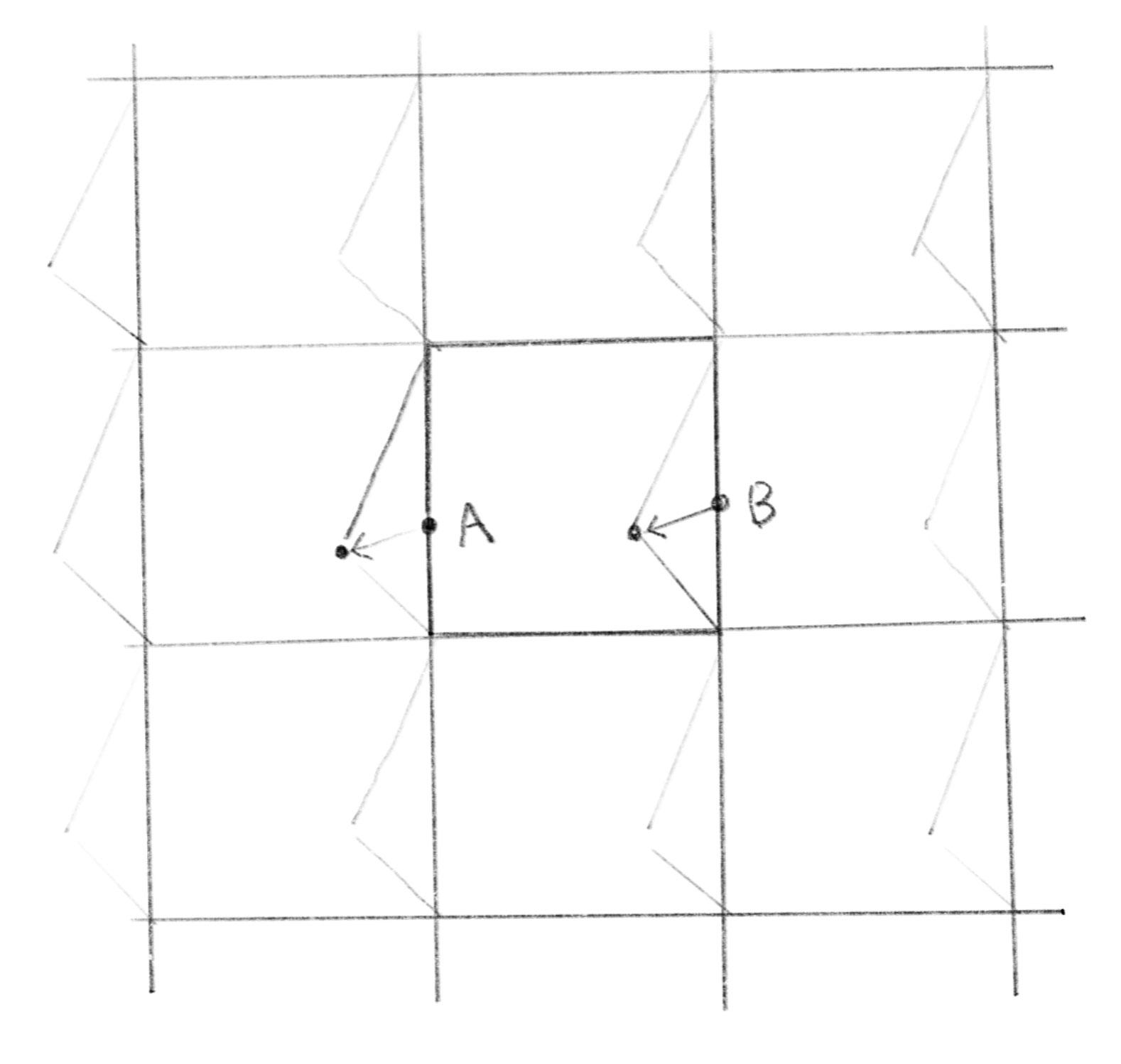
An easy approach is to start with basic shapes like triangles, quadrilaterals, or hexagons, or other shapes we know can fill a plane without gaps, and then modify these shapes a little by little. The key is to identify the corresponding point on the other side of the shape or on the adjacent shape that must be moved simultaneously when you deform the shape. Take a look at the image below.
簡単なアプローチは、3角形、4角形、6角形、または他の平面を隙間なく埋めることができる形状から始め、その形を少しずつ変形していくことです。大事なのは変形の際に、形の反対側や隣接する形の上にある対応する点を見つけて同時に動かすことです。以下の画像をご覧ください。
Suppose you begin with square tiles. When you move a point of the square (A), think about that the surrounding squares must be deformed in the same way. You will realize that the point on the opposite side (B) must move the same amount.
正方形のタイルから始める場合を考えます。 正方形の点(A)を移動させるには、周囲の正方形も同じように変形しなければなりません。 こう考えると、向かい側の点(B)が同じ分だけ移動しなければならないと気付くでしょう。
The demo below creates random patterns using this method. Try sketching some ideas by yourself moving your hands! You can start from any shape or combination of shapes that can repeat periodically.
下のデモでは、この手法を使ってランダムなパターンを作成します。自分の手を動かしてアイデアをスケッチしてみましょう。周期的に繰り返すことができる形や形の組み合わせならなんでも使うことができます。
Voronoi
ボロノイ
Voronoi is an interesting way to divide space into irregular shapes.
ボロノイは、空間を不規則な形状に分割する面白い方法です。
As we touched upon on the page about visualizing distance, Voronoi divides a plane into regions closest to a given set of points. Voronoi is also known as “cellular noise”. You can imagine that the points are the cores of the cells, and shapes are formed by the cells pushing their membranes against each other.
距離を視覚化するのページで触れたように、ボロノイは平面を与えられた一連の点に最も近い領域に分割します。ボロノイは「セルラーノイズ」とも呼ばれます(cellは細胞や小部屋という意味です)。点が細胞核に当たり、細胞が互いにその膜を押しつけあうことで形が形成される様子が想像できるでしょう。
More precisely, cellular noise is a noise function introduced by Steven Worley based on the concept of Voronoi diagram.
より正確には、セルラーノイズはノイズ関数の一種で、Steven Worleyがボロノイ図の概念に基づいて考え出したものです。
Unlike other tiling methods on this page, tiles in a Voronoi diagram are essentially all different, but humans can still see that they follow the same rules or a “pattern”. Just like if you look into a microscope, no cells in nature are the same, but we can intuitively see they are the same thing regardless.
このページの他のタイリングとは異なり、ボロノイ図のタイルは基本的に全て異なります。しかし、人々はタイルが同じルールまたは「パターン」に従っていることを認識できます。これは、顕微鏡で覗き見る自然界の細胞が、一つとして同じ形状がないにもかかわらず、直感的にそれらが同じものであると理解できるのと似ています。
The demo below is taken from the Cellular Noise page of the Book of Shaders. You can find more detailed explanations and examples there.
以下のデモは、Book of shadersのセルラーノイズのページを元にしました。同ページには、より詳しい説明や例があります。
On the next page, we will look into fractals and the concept of self-similarity.
次のページでは、フラクタルと自己相似性の概念について詳しく見ていきます。